Hardware
RAK Gateway
WorkingThe bridge between your mesh network and the internet. Listens to all mesh traffic and forwards it to the cloud via WiFi, so you can see your data on the dashboard from anywhere.
Without a gateway, data stays local to the mesh. With one, everything flows to your dashboard, database, and automations.
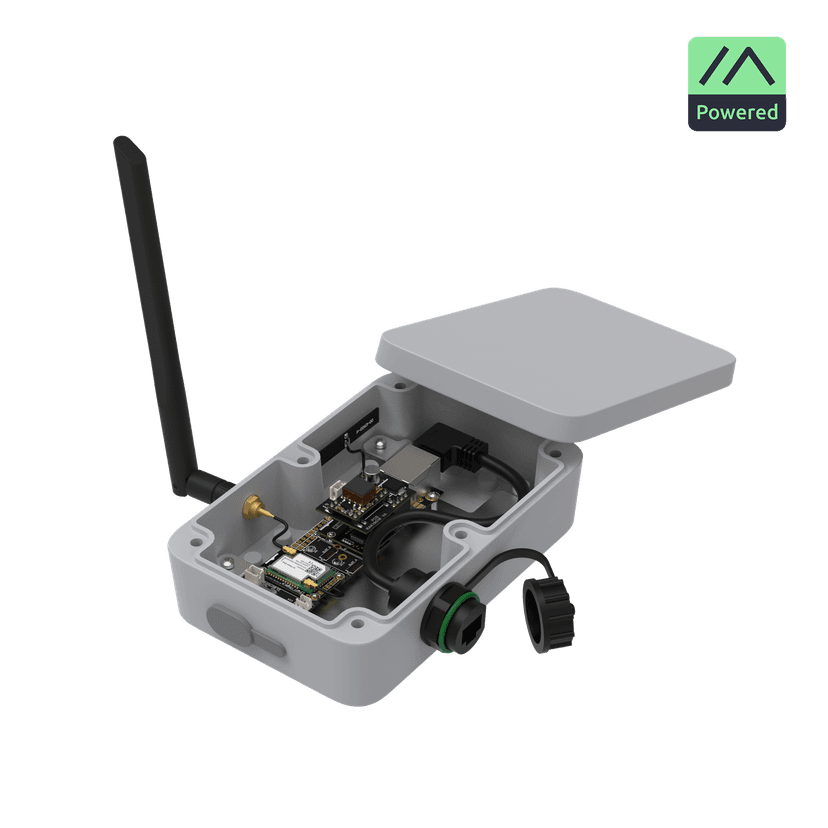
Hardware Used
| Core Module | RAK4631 (nRF52840 + SX1262) |
| Base Board | RAK19007 WisBlock Base |
| WiFi Module | RAK13300 (optional ESP32) |
| Antenna | 915MHz LoRa + 2.4GHz WiFi |
| Power | USB-C (always on) |
Data Flow
📡
Mesh Nodes
LoRa 915MHz
🌐
RAK Gateway
MQTT Module
☁️
Mosquitto
MQTT Broker
📊
Dashboard
InfluxDB + Web
MQTT Topics
Meshtastic publishes to standard MQTT topics. The gateway service subscribes and processes incoming messages.
msh/+/json/+/!nodeIdJSON-formatted messages from specific node
msh/+/json/LongFast/!nodeIdChannel messages with telemetry
Terminal
$ mosquitto_sub -t "msh/#" -v

msh/US/json/LongFast/!a1b2c3d4 {
  "type": "telemetry",
  "payload": {
    "deviceMetrics": {
      "batteryLevel": 85,
      "voltage": 4.1
    }
  }
}
Configuration Notes
- Meshtastic MQTT Module: Enable in device config. Set broker address, username, password, and root topic.
- JSON Mode: Enable JSON output for structured messages instead of protobuf.
- Encryption Key: Must match other nodes on the mesh for decryption to work.
- WiFi: Gateway needs reliable WiFi connection to MQTT broker. Static IP recommended.